
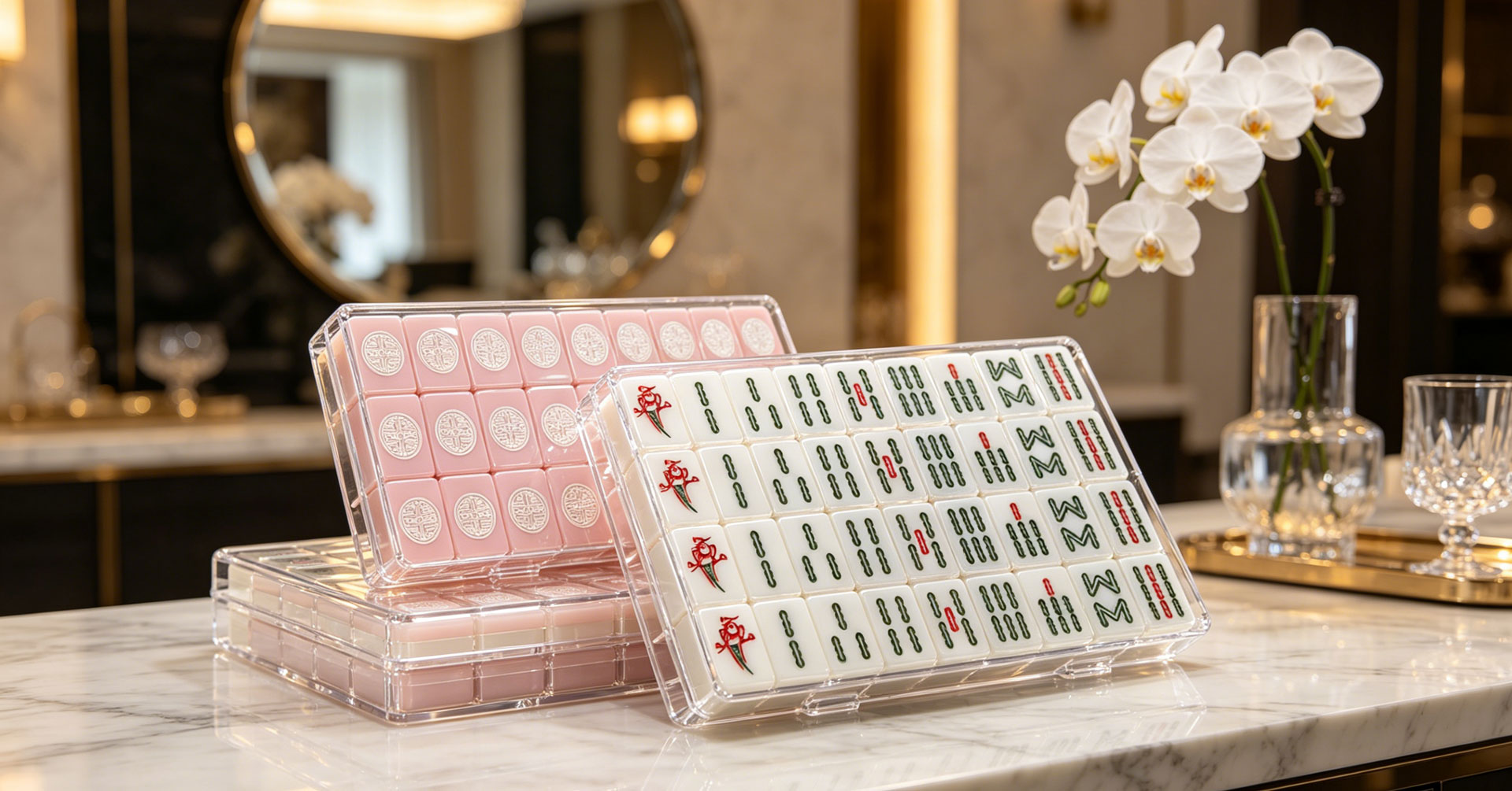
Submitting the wrong file format to a mahjong tile factory costs more than revision time — it delays sampling, introduces color drift, and can produce tiles that look nothing like your screen proof. This guide defines every file specification you need before placing a custom order: formats, resolution, color standards, tile face layout, and how revisions work once production begins. Following these specs eliminates the most common causes of sample rejection and gets your custom mahjong set from concept to physical sample faster.
Key Points:
• Vector files (AI/EPS/SVG) are required for laser engraving and embossing; raster files (300+ DPI TIFF/PNG) for UV printing — using the wrong type triggers rework
• Color must be specified in Pantone or CMYK values; RGB-only files cannot be matched accurately on acrylic substrates
• Tile face layout requires safe-zone margins (1.5mm from edge) and correct template dimensions for your tile size
• Each production technique has distinct file requirements — one file does not serve all methods
• Revision rounds are limited by production stage: pre-production revisions are low-cost; post-tooling changes carry setup fees
Why File Specifications Matter in Mahjong Tile Production
File quality directly determines production outcome on acrylic mahjong tiles. Unlike paper printing, where minor resolution gaps are tolerable, tile production methods — laser engraving, UV printing, embossing — translate every pixel and path into a physical mark on a rigid substrate.
A low-resolution JPEG that looks acceptable on screen produces visible jagged edges when laser-cut at 0.1mm precision. An RGB color value that displays correctly on a monitor shifts unpredictably when converted to ink cured on tinted acrylic. Understanding these constraints before you design prevents the most common — and most expensive — file-related production errors.
The cost of a file error compounds through the production chain. A color mismatch caught at the file review stage costs nothing to fix. The same mismatch caught at the sample stage costs a full re-run of tile production. Caught after bulk production begins, it can require scrapping an entire batch. Specifying files correctly before submission is the single highest-ROI step in the custom tile process.
File Format Requirements by Production Technique
Each tile customization technique reads design data differently. Submitting a single file for all techniques is a common mistake that produces suboptimal results across the board.
Format-Technique Matrix
| Production Technique | Required Format | Why | Acceptable Alternatives |
|---|---|---|---|
| Laser engraving | Vector (AI, EPS, SVG) | CNC path requires precise coordinate data | DXF, CDR |
| UV printing | High-res raster (TIFF, PNG) at 300+ DPI | Full-color output needs pixel-level detail | High-res PDF (raster-embedded) |
| Embossing (in-mold) | Vector (AI, EPS, SVG) | Mold tooling follows the exact vector outline | DXF, 3D relief model (STP) |
| Layered inlay | Vector (AI, EPS, SVG) | Cutting path must define clean boundaries | DXF |
Vector vs. Raster: When Each Applies
Vector files define shapes through mathematical coordinates — lines, curves, and fills. A logo defined as vector art can be scaled to any size without loss of sharpness, making it ideal for production where the same design might be applied to different tile sizes. Laser engraving CNC machines read vector paths directly: the laser follows the coordinate sequence to cut into the acrylic surface. For this reason, vector format is non-negotiable for any engraving or embossing work.
Raster files define images through a pixel grid. Each pixel carries color and position data at a fixed resolution. UV printers read raster data to deposit ink dot-by-dot on the tile surface. A 300 DPI raster file at the actual tile-back print size contains sufficient pixel density for sharp reproduction. Below 300 DPI, edges soften, fine text becomes illegible, and gradient transitions show visible banding — defects that are permanent once the ink is cured onto the acrylic.
Common File Mistakes
| Mistake | Consequence | Fix |
|---|---|---|
| Submitting a JPEG for engraving | CNC cannot generate a path from compressed pixels | Redraw as a vector or provide the original vector source |
| Low-DPI raster for UV print | Blurry output, unreadable small text | Rescan or re-export at 300+ DPI at actual size |
| Embedded raster inside vector file | The engraving path contains pixel artifacts | Provide clean vector paths without raster elements |
| Missing font outlines | Text renders incorrectly on factory systems | Convert all text to outlines/paths before export |
| RGB color mode for print | Color shift on acrylic substrate | Convert to CMYK or provide Pantone references |
Resolution and Dimension Specifications
Minimum Resolution Standards
Resolution requirements depend on the production method and the physical size of the printed or engraved area on the tile. American mahjong tiles typically range from 30×22mm to 40×28mm, with the printable or engravable area reduced by edge margins.
| Tile Size | Print/Engrave Area (approx.) | Min. Resolution | Pixel Dimensions at 300 DPI |
|---|---|---|---|
| 30 × 22 × 12mm | 26 × 18mm | 300 DPI | 307 × 213 px |
| 35 × 25 × 14mm | 31 × 21mm | 300 DPI | 366 × 248 px |
| 40 × 28 × 16mm | 36 × 24mm | 300 DPI | 425 × 283 px |
For UV-printed artwork that includes fine text (below 6pt) or intricate line work, 600 DPI provides additional clarity at minimal file-size cost. Laser engraving does not use DPI — precision is determined by the CNC machine's step resolution, typically 0.01–0.05mm.
Why "At Actual Size" Matters
A typical first-run timeline for a custom 160-tile American mahjong set:
A 300 DPI image that is 1000 pixels wide works perfectly for a 3.3-inch print — but on a 26mm tile back, you need only 307 pixels at that resolution. Supplying an oversized file is acceptable (the printer downsamples); supplying an undersized file is not (upsampling adds no real detail). Always specify the intended physical output size when submitting files.
Dimension Tolerances
JAYI Acrylic maintains ±0.1mm dimensional tolerance on tile cutting and ±0.2mm on logo placement relative to the tile center. File artwork should be centered within the template with registration marks suppressed — the factory's CNC alignment system handles positioning independently.
Color Value Standards
Color Systems for Tile Production
| Color System | Use Case | Accuracy on Acrylic |
|---|---|---|
| Pantone (PMS) | Primary standard for tile body color and ink matching | High — physical swatch verification at sheet level |
| CMYK | UV printing color specification | Good — depends on acrylic substrate tint |
| RGB | Screen preview only | Poor — not reproducible on physical substrate |
Why RGB Is Not a Production Standard
RGB (Red-Green-Blue) defines color for emissive displays — screens that produce light. Acrylic tiles reflect ambient light, and ink cured on a tinted acrylic surface interacts with the substrate color underneath. An RGB value that looks vibrant on a white-backlit monitor can appear muted or shifted when printed as CMYK ink on a green or blue acrylic body.
For this reason, JAYI requires all color specifications in Pantone references or CMYK values. If your design files use RGB, convert them before submission or provide Pantone/CMYK targets alongside the RGB source. The factory will use the Pantone/CMYK values for production matching, not the RGB appearance.
Color Matching Workflow
| Step | Action | Client Deliverable |
|---|---|---|
| 1 | Provide Pantone code(s) or physical color swatch | Pantone reference or mail-in swatch |
| 2 | The factory produces an acrylic sheet sample | Physical tile color sample shipped for approval |
| 3 | Approve or adjust color | Signed color approval |
| 4 | Approved formula locked to project | Consistent output across all future runs |
Color tolerance is maintained within ΔE ≤ 2.0 (imperceptible to the unaided eye). For clients with strict brand standards, ΔE ≤ 1.5 is available with spectrophotometer verification per batch.
Mahjong Tile Face Layout Specifications
Template Structure
Every custom American mahjong tile face design must conform to a layout template that defines the engraving or printing zone, safe margins, and alignment anchors. Project-specific templates are provided after tile size and production technique are confirmed — using the correct template from the start prevents alignment errors that would otherwise surface during sample production.
Layout Parameters
When visiting or commissioning a third-party audit of an American mahjong tile manufacturer, verify these items:
| Parameter | Specification | Purpose |
|---|---|---|
| Safe zone | 1.5mm inset from all tile edges | Prevents symbol clipping from cutting tolerance |
| Symbol center | Aligned to the tile geometric center | Consistent visual balance across the set |
| Minimum line weight | 0.3mm (engraving), 0.15mm (UV print) | Ensures lines reproduce without filling |
| Minimum text size | 4pt (engraving), 3pt (UV print) | Maintains legibility at tile scale |
| Bleed | Not required (tile face is cut, not printed to edge) | N/A for tile production |
| File layer structure | Separate layers for each symbol group | Enables independent editing per suit/category |
Character Layout by Tile Category
The Joker and Flower tiles offer the broadest design freedom because they carry no standardized symbol in American mahjong. For brands adding a logo or themed artwork, these tiles are the natural first choice — see our custom American mahjong design options for technique-specific guidance. Note that accessory items like acrylic mahjong racks also require separate design files if you plan to apply matching logos or patterns to maintain visual consistency across the complete set.
Revision Process and File Change Management
Revision Process and File Change Management
| Production Stage | Revision Type | Cost Impact | Typical Turnaround |
|---|---|---|---|
| File review (pre-production) | File format, resolution, color conversion | None — digital correction | 1–2 days |
| Sample production | Design, layout, or color adjustment | Sample re-run cost only | 3–5 days |
| Tooling lock (post-sample approval) | Logo/path change affecting the mold or the CNC program | Tooling modification fee | 5–7 days |
| Bulk production | Any design change | Full batch scrap + restart | 10–15 days |
How Revisions Work in Practice
1. File submission: Client uploads design files via the project portal or email. JAYI's engineering team reviews format compliance, resolution adequacy, and color specification completeness within 1 business day.
2. Issue report: If the file does not meet specs, the engineering team returns a detailed issue report specifying which elements need correction and why — not a generic "file rejected" notice.
3. Client revision: Client corrects and resubmits. Most file-format issues are resolved in one round.
4. Sample production: Once files pass review, the factory produces a physical sample. The client evaluates the sample against the digital proof and may request adjustments to color, layout, or symbol rendering.
5. Sample approval: Client signs off on the sample. At this point, tooling is locked — any further design changes require a new tooling cycle.
6. Bulk production proceeds with the approved design locked to the project.
Minimizing Revision Rounds
The most effective way to reduce revision rounds is to submit production-ready files on the first attempt. This means:
• Vector files with all text outlined — no editable fonts that may render differently on factory systems
• Pantone color references for every color in the design — not RGB screenshots
• Correct template dimensions for your specified tile size — request the template before designing
• Separate files per technique — one vector file for engraving, one raster file for UV printing, rather than a single combined file
At JAYI, our pre-press engineering team processes acrylic board game artwork daily, including mahjong, domino, and chess sets. This production volume means common file issues are caught quickly — but clients who follow the specs above typically move from file submission to sample approval in a single round.
FAQ
What file format is required for custom mahjong tile engraving?
Vector format is required — AI (Adobe Illustrator), EPS, or SVG. Laser engraving CNC machines follow coordinate paths defined in vector files. Raster images (JPEG, PNG) cannot generate clean cutting paths and will be rejected at file review. If your logo exists only as a raster file, it must be redrawn as vector art before submission.
Can I use the same design file for both engraving and UV printing?
Not optimally. Engraving requires vector paths with no raster elements; UV printing requires high-resolution raster data at 300+ DPI. A single file cannot serve both techniques without compromising one. Submit separate files: a clean vector file for engraving paths and a high-res raster file for UV-printed artwork.
Why does my RGB design look different on the physical tile?
RGB defines color for light-emitting screens; acrylic tiles are reflective surfaces printed with ink on a tinted substrate. Colors that appear vibrant on a monitor often shift when converted to physical ink on colored acrylic. Specify colors in Pantone or CMYK values, and always approve a physical sample before bulk production rather than relying on screen proofs.
What resolution do I need for UV-printed tile artwork?
300 DPI at the actual tile-back print size is the minimum. For artwork with fine text (below 6pt) or intricate detail, 600 DPI is recommended. Resolution must be calculated at the physical output size — a 300 DPI image designed for an A4 page does not automatically meet the requirement when cropped to a 26mm tile back.
How many revision rounds are included in a custom order?
File review corrections (format, resolution, color conversion) incur no cost. Sample-stage design adjustments typically require one re-run at sample cost. Changes after tooling is locked incur tooling modification fees. Most clients who follow the file specifications in this guide complete the process in one sample round.
Do I need to design every individual tile face, or just one template?
For standard American mahjong sets, you provide designs grouped by category: one Crak template, one Bam template, one Dot template, etc. — with rank variations within each group. JAYI's engineering team maps your category designs across the full 160-tile set. Joker and Flower tiles require individual designs since they vary per tile. The factory provides a tile map template indicating which positions require unique artwork.
Conclusion
This article sorts out complete artwork specifications covering file type, resolution, color standard, layout rule, and revision cost for custom American mahjong tiles. Following these rules effectively cuts revision cost and shortens the sampling cycle. Our technical team can assist buyers with file checking and template support to accelerate your customized mahjong project.

Cathy Qin
Cathy Qin works at Jayi Acrylic Industry Limited, focusing on custom acrylic game product management and SEO-driven content marketing for B2B wholesale and retail applications. Her work includes designing display solutions, managing customization projects, and optimizing website content to promote Jayi’s high-quality acrylic products across global digital channels.
Post time: Jun-05-2026